Mobile Height-Adjustable AV Cart With Power & Cable Control
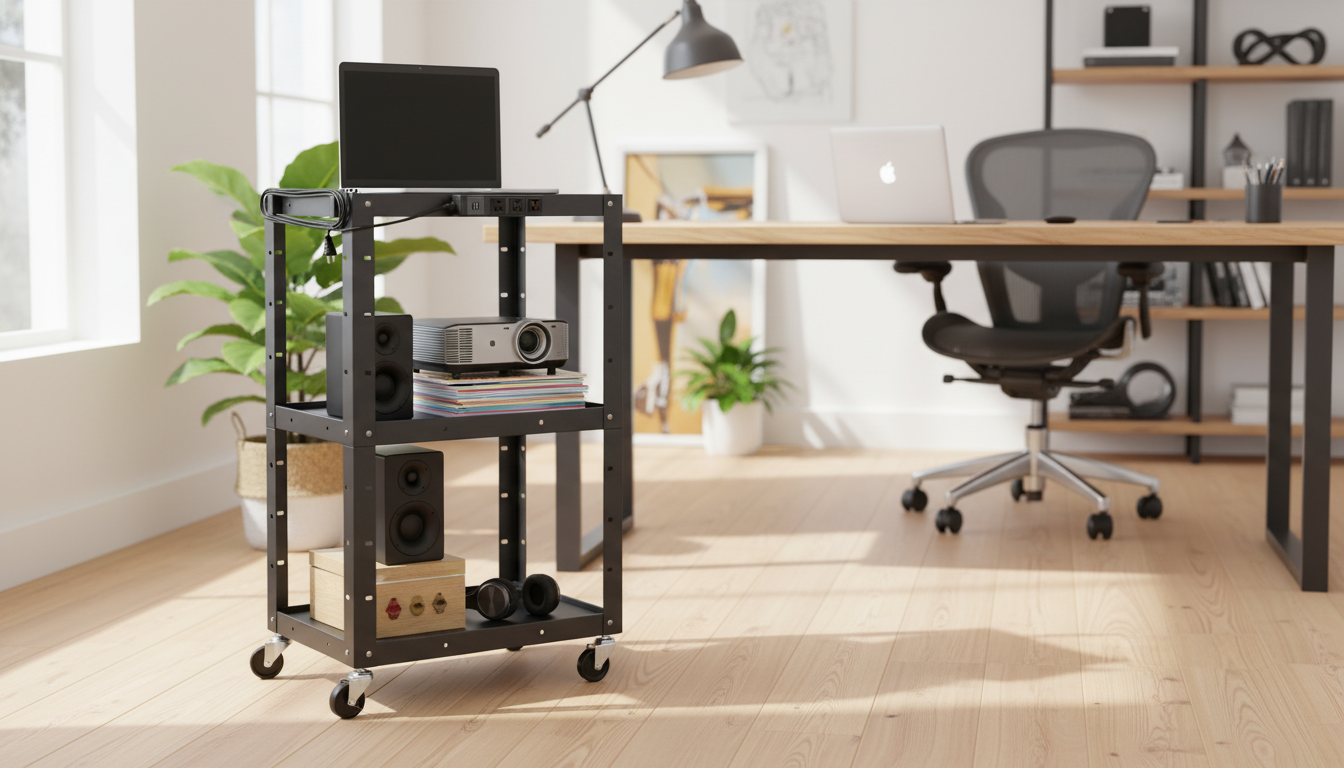
Height Adjustable AV Cart with Power Strip & Cord Management
A height-adjustable AV cart keeps a display, laptop, document camera, or audio gear mobile while reducing cable clutter and trip hazards. This style of cart is especially useful when a space needs to switch between teaching, training, and meetings without committing to a permanent installation. With an integrated power strip and built-in cord routing, devices stay powered and organized during presentations, classroom rotations, or conference-room reconfigurations.
What This Cart Helps Solve
- Supports mobile setups for projectors, laptops, small monitors, speakers, and conferencing gear without needing a permanent install.
- Reduces cable tangles by keeping power and signal lines routed along the frame instead of draped across shelves.
- Improves safety by minimizing loose cords that can snag, pull devices off the cart, or create a tripping hazard.
- Speeds up room changeovers by keeping essential gear grouped on one rolling station.
Key Features to Look For in Daily Use
- Height adjustment range: ensures comfortable viewing/operation for seated or standing presenters and varied room layouts.
- Stable platform and shelf design: helps prevent wobble when rolling over thresholds or carpet transitions.
- Integrated power strip: keeps a single plug-to-wall approach instead of multiple adapters and extension cords.
- Cord management channels or clips: guides cables so they do not hang off corners or get pinched during height changes.
- Locking casters: allow the cart to stay put when presenting, then roll easily when relocating.
Recommended In-Stock Options
For a clean setup that can move from room to room with minimal re-cabling, start with a purpose-built cart and add a small organizer for adapters and accessories.
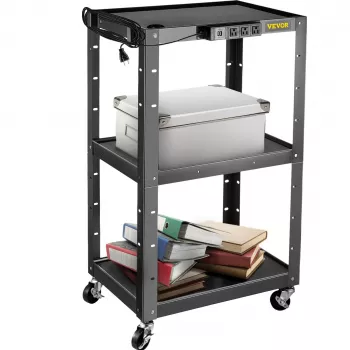
- Height Adjustable AV Cart with Power Strip & Cord Management — a practical choice for mobile AV, hybrid meetings, and rotating classroom stations.
- Embroidery Daisy Pencil Case Large Capacity School Supplies Pouch — a simple way to keep dongles, remotes, batteries, and labeled adapters together on a lower shelf.
Setup Ideas for Classrooms, Training Rooms, and Offices
Classroom rotation
Place a laptop and document camera on the top surface, route HDMI/USB down the frame, and power everything through the strip. Keep a short service loop near each device so raising/lowering the cart doesn’t tug on ports.
Training station
Mount or place a small display on top, store adapters and remotes on a lower shelf, and keep cables tied at fixed points to prevent snagging. A dedicated pouch or bin makes it easier to return “shared” items after each session.
Conference overflow
Roll in a display or speaker setup only when needed; keep one wall plug as the only required room connection. This approach reduces last-minute hunts for outlets and keeps walkways cleaner.
AV checkout cart
Label cables and ports, coil slack into the cord channel, and reduce missing adapters by keeping them in a dedicated shelf bin. If different departments borrow the cart, labeling becomes the difference between a five-minute setup and a troubleshooting session.
Cable and Power Management That Stays Neat
- Route power cables on one side and signal cables on the other when possible to reduce interference and simplify troubleshooting.
- Leave a small service loop near devices to avoid strain on connectors when raising/lowering the cart.
- Use reusable hook-and-loop ties at two points (near the device and near the frame exit) to keep slack controlled.
- Keep the wall cord length appropriate: too short limits placement; too long increases snag risk—coil excess into the cord path rather than letting it dangle.
- If using a projector, secure the video cable at the cart frame so movement does not tug the projector port.
Quick Cord-Management Checklist
| Task | Why it matters | Quick tip |
|---|---|---|
| Separate power and signal runs | Cleaner routing and easier diagnostics | Assign left/right sides of the frame for each |
| Add strain relief | Prevents loose connections and port damage | Tie cables to frame before the device port |
| Control slack | Avoids dragging cables and snags | Coil excess in the cord channel with Velcro ties |
| Label ends | Faster setup in shared spaces | Use small tags: HDMI, USB, Audio, Power |
| Check caster path | Stops cables from catching under wheels | Keep all runs inside the cart footprint |
Safety, Stability, and Mobility Notes
- Balance heavier items on lower shelves when available; keep the top surface for lighter gear to reduce tip risk.
- Lock casters before plugging/unplugging devices so the cart does not roll unexpectedly.
- Avoid overloading the power strip; add up device wattage/amps and stay within the strip’s rating.
- Keep liquids away from the power strip area and route cords so they do not rest on sharp edges.
- When moving between rooms, unplug the wall cord first and secure it to the cart to prevent dragging.
For additional guidance around electrical safety practices in workplaces, review OSHA’s general electrical safety resources (https://www.osha.gov/electrical) and NFPA’s electrical safety materials (https://www.nfpa.org/). If you’re troubleshooting noise, dropouts, or interference in conferencing gear, the FCC provides consumer guidance that can help frame next steps (https://www.fcc.gov/).
Is This the Right Fit?
FAQ
How high should an AV cart be set for presentations?
Set the top surface so the primary device (laptop controls, document camera, or display) is comfortable to reach without shoulder strain. Adjust for seated vs standing use, and after changing height, verify cables still have enough slack to move without pulling on connectors.
Can the built-in power strip replace a surge protector?
Only if the strip explicitly includes surge protection; otherwise, it functions as a convenient multi-outlet extension. Check labeling/specs for a joule rating and any protection indicator light before relying on it for sensitive electronics.
How do cables stay organized when the cart height changes?
Use the cart’s cord routing points on the frame and leave a small service loop near each device so cables flex during height adjustments. Secure cables at consistent tie points so they move predictably instead of swinging or snagging.



Leave a comment