
A cluttered workspace quietly drains attention, time, and motivation. A reset routine makes organization repeatable instead of overwhelming. This guide breaks a workspace reset into quick phases—clear, clean, sort, and set up—so the desk supports focus, smoother workflows, and a calmer start to the next work block.
A workspace reset is a short, repeatable routine that returns the desk to a “ready-to-work” state—surfaces clear, tools in place, and priorities visible. Instead of waiting for a big cleanup day, small resets prevent “clutter debt” (the slow pileup of items with no home and tasks with no capture system).
That consistency matters. When your environment is stable, the next work session starts with fewer decisions: you already know where essentials live, what the current priority is, and what needs to happen next. Research and writing on attention and information overload also points to how quickly distraction can take over when the brain is asked to filter too much at once; for a deeper look, see APA’s overview of attention and distraction and Daniel J. Levitin’s work on cognitive load in The Organized Mind.
Pick a realistic time box so the reset feels doable even on busy weeks. A 15-minute reset is perfect for maintenance; 30 minutes handles weekly build-up; 45–60 minutes is best for a monthly refresh that includes drawers and cables.
Before you start, create one temporary “inbox” spot (a tray, box lid, or one desk corner). As you clear the surface, park items there so the main workspace becomes open quickly—this creates momentum. Then follow a simple rule: handle each item once. Decide immediately: trash, file, relocate, or place it in the inbox to process at the end.
| Time | Best for | What gets done |
|---|---|---|
| 15 minutes | Daily/quick reset | Clear desktop, toss trash, stack papers, wipe surface, put top tools back |
| 30 minutes | Weekly reset | Process papers, clean keyboard/mouse, restock supplies, update task capture |
| 45–60 minutes | Monthly refresh | Purge drawers, re-label zones, evaluate storage, back up files, deep clean |
Resets last longer when the desk has clear zones. If an item doesn’t have a “home,” it becomes tomorrow’s clutter.
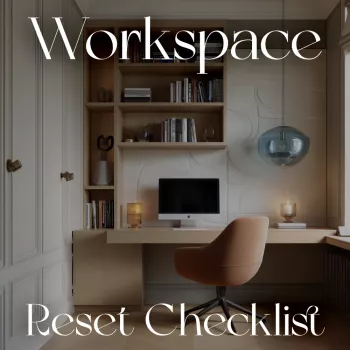
If you want a ready-made routine you can keep by your desk, the Workspace Reset Checklist printable digital download is an easy way to make the habit consistent week after week.
Remove everything from the main work surface that isn’t required for today’s primary work block. Put it into the staging inbox so the desk becomes visually quiet fast.
Wipe the desktop, monitor base, and any high-touch areas. Give the keyboard and mouse a quick clean, and dust the surrounding area (especially under the monitor stand and near cable clusters).
Process the staging inbox with a firm, simple flow: trash/recycle, relocate to its home zone, file reference papers, and capture tasks into one trusted system. If clutter tends to correlate with stress at home and work, it can help to treat sorting as a weekly preventative routine rather than a once-in-a-while event; UCLA’s research on clutter and well-being provides helpful context: UCLA Center on Everyday Lives of Families.
Place only the essentials back into the focus zone (laptop/monitor, notebook, one pen, water). Keep everything else off the surface, even if it “might” be needed later.
Write the next action on a small note or your task list, and leave it visible. The goal is to start instantly next time, without re-reading threads, reopening loops, or trying to remember what mattered.
A simple way to stop tool creep is keeping essentials in one container; a pencil case for keeping desk tools in one place can act as your tools zone in a portable format—especially useful if you work between rooms or travel.
A quick daily reset (5–10 minutes) keeps clutter from compounding, and a weekly reset (15–30 minutes) handles papers, cleaning, and restocking. Add a monthly deeper refresh for drawers, cables, and storage zones.
Keep essentials only: your primary device, one notebook, one pen, water, and one current project item. Everything else should live in labeled zones or containers off the main surface.
A checklist reduces decision fatigue by telling you exactly what to do next, cuts visual distractions, and shortens setup time. Ending with a clear “next action” cue also makes it easier to start working immediately.




Leave a comment