Smart Accounting with AI: Automate Close & Client Updates

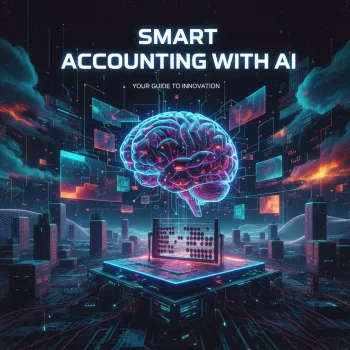
Smart Accounting with AI: A Practical Digital Guide to Automate Everyday Financial Tasks
AI can move routine accounting work forward faster—without replacing professional judgment. Used well, it reduces the “blank page” problem, speeds up repetitive formatting, and turns scattered notes into organized next steps. The result is steadier output, tighter review routines, and better time allocation across bookkeeping, reporting, and advisory work.
What “Smart Accounting with AI” Looks Like in Daily Work
Most accounting teams don’t need AI to “do accounting.” They need it to accelerate the glue work around accounting: drafting, structuring, documenting, and explaining.
Common time drains AI can reduce
- First drafts of client-ready emails, recap notes, and status updates
- Reformatting checklists, SOPs, and recurring close tasks into consistent templates
- Reconciliation support notes (summarizing exceptions and next investigation steps)
- Documentation for handoffs: what changed, why it changed, and what to review
- Variance narration from bullet inputs (with evidence-based human review)
Where human review remains essential
- Materiality decisions and professional judgment calls
- Accounting policy choices and treatment of complex transactions
- Tax positions, compliance conclusions, and anything requiring authoritative guidance
- Final sign-offs and management/partner approvals
A realistic adoption path
Start with low-risk text tasks (drafting and rewriting). Once the team is comfortable with guardrails and review steps, expand into structured workflows: close checklists, SOPs, and standardized commentary. An eBook + checklist format helps by providing repeatable steps and templates, so staff spend less time reinventing the process each month.
What’s Included in the Digital Download
A practical kit works best when it matches how accounting work actually moves—intake, close, reporting, and client communication—while keeping review and documentation front-and-center.
- eBook sections mapping AI to accounting workflows (intake to close to reporting)
- An implementation checklist: setup, guardrails, review steps, and documentation habits
- A curated set of AI tools and use cases (writing, summarization, automation, and visuals)
- ChatGPT use cases for communication: drafting, tone refinement, structured explanations
- MidJourney use cases for compliant, non-sensitive visuals for training, decks, or marketing
| Component | Used for | Outcome to expect |
|---|---|---|
| eBook guide | Step-by-step workflows and examples | Faster onboarding into repeatable AI routines |
| Implementation checklist | Set rules, review steps, and documentation | Lower risk of errors and inconsistent output |
| AI tools list | Selecting tools for specific tasks | Less trial-and-error during adoption |
Fast Wins: 7 Accounting Tasks to Automate or Accelerate
The best “quick wins” are tasks where speed matters, but the final output still goes through a human quality filter.
- Client email drafts: payment follow-ups, missing-doc requests, engagement reminders, meeting recaps
- Meeting notes to action list: convert call notes into tasks, owners, and due dates
- Month-end close narration: generate first-draft variance explanations from bullet inputs
- Policy and procedure documentation: turn ad-hoc steps into a standard operating procedure (SOP)
- Reconciliation support: summarize exception lists and propose investigation steps (with verification)
- Spreadsheet hygiene: naming conventions, column definitions, and data dictionaries
- Training materials: onboarding checklists and role-based quick-start guides
A Safe Workflow: From Input to Output Without Leaking Sensitive Data
Responsible AI usage in accounting is less about a single tool and more about a repeatable workflow that protects confidentiality and supports audit-ready review.
- Sanitize inputs: remove names, EINs, account numbers, addresses, and unique identifiers; use synthetic examples when possible.
- Use a two-step method: (1) structure and draft, then (2) validate against source documents and internal policies.
- Maintain a “red flag” list: avoid outputs that assert tax advice, guarantee outcomes, or conclude policy without citations.
- Keep an audit-friendly trail: save templates, store AI output as drafts, and document what was edited and why.
- Define approval gates: clarify what staff can generate vs. what requires manager/partner review.
For broader guidance on risk and controls, reference the NIST AI Risk Management Framework (AI RMF 1.0) and the profession-focused resources from AICPA & CIMA on Artificial Intelligence.
ChatGPT in Accounting: High-Value Templates (Without the Guesswork)
High-quality outputs usually come from clear audience context, tight constraints, and bullet facts pulled from your real workpapers (after sanitizing).
When using any AI system, align usage to vendor guidance such as OpenAI usage policies and your firm’s confidentiality requirements.
MidJourney for Accountants: Useful Visuals That Don’t Require Confidential Data
Implementation Plan: 30–60 Minutes to Get Started
| Timebox | Action | Deliverable |
|---|---|---|
| Day 1 | Select a low-risk use case and define guardrails | One-page usage rules |
| Week 1 | Create templates and test with sanitized data | Three reusable templates |
| Week 2–4 | Expand to a second workflow and document SOP | Workflow SOP + review checklist |
Digital Download Details
Recommended Picks (In Stock)
- Smart Accounting with AI | Digital Download Guide for Accountants | eBook, Checklist & AI Tools for Accounting Professionals | Learn How to Use ChatGPT, MidJourney & Automate Financial Tasks — a practical eBook + checklist bundle for setting guardrails and building repeatable workflows.
- Embroidery Daisy Pencil Case Large Capacity School Supplies Pouch — a simple way to keep close-week essentials organized (highlighters, sticky tabs, cables, and small adapters).
FAQ
Can AI be used in accounting without risking client confidentiality?
Yes—when inputs are sanitized (no names, EINs, account numbers, or unique identifiers), outputs are treated as drafts, and a defined review/approval gate is enforced. Using synthetic examples for template-building and keeping an edit trail also reduces risk.
What accounting tasks benefit most from ChatGPT?
Drafting client emails, creating close checklists, summarizing meeting notes into action items, drafting variance commentary, and rewriting explanations for clarity tend to deliver the fastest wins. Final wording and all facts should be verified against source documents before sending or filing.
How can MidJourney be useful for accountants if it doesn’t do calculations?
It can produce conceptual, non-sensitive visuals for training decks, internal presentations, and marketing assets without using confidential client data. The key is keeping visuals generic and avoiding any client document recreation.






Leave a comment