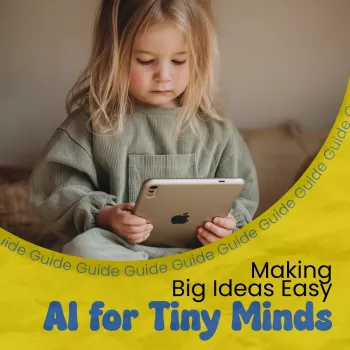
Artificial intelligence can sound like a huge, mysterious topic, but kids already meet it in everyday life—recommendations, voice assistants, and games. This guide breaks AI into simple, friendly ideas with examples, mini-activities, and conversation starters that work at home or in the classroom. For more guidance, see Artificial intelligence in early childhood education: A scoping review.
AI is when a computer tries to do something that seems “smart,” like recognizing a picture, understanding speech, or making a guess about what you want next. The important thing to know is that computers don’t “think” like people. Instead, they learn patterns from lots of examples. For further reading, see [PDF] Artificial Intelligence and the Future of Teaching and Learning (PDF).
A kid-friendly comparison: a brain learns from experiences; an AI learns from data (examples). If you show an AI many pictures of cats, it can start to notice what “cat” patterns look like—whiskers, ears, shapes, and textures.
One more key idea: “smart” doesn’t mean “alive.” AI doesn’t have feelings, wants, or a conscience. It can sound confident and still be wrong, because it’s making a best guess based on what it has seen before.
A regular computer program follows exact instructions, like a recipe: “If this happens, do that.” AI is different because it often learns from examples—more like practicing a skill and improving at spotting patterns.
Kids can test the difference at home. A calculator always follows the same rules. A photo app, on the other hand, might “guess” what’s in a picture or group photos by faces, which is much harder to do with strict step-by-step rules.
AI can be wrong when it hasn’t seen enough examples, when the examples aren’t varied, or when the new situation is confusing (like a cat wearing a costume or a blurry photo).
| Situation | Regular Program | AI System |
|---|---|---|
| Sorting numbers from smallest to largest | Follows a set sorting method | Usually not needed; rules work well |
| Recognizing a cat in a photo | Hard to write exact rules for every cat | Learns from many labeled cat photos |
| Spell-checking common words | Uses a dictionary and rules | May also predict words based on patterns |
| Recommending a video or song | Simple if-then rules are limited | Learns what similar people watched or liked |
To explain AI learning, it helps to use three simple words: data, patterns, and practice.
A simple phrase that clicks with younger learners: “AI learns by looking at lots of examples and making its best guess.” If you want a deeper parent-friendly overview of how these tools show up in kids’ media and apps, Common Sense Media’s Parents’ Guide to Artificial Intelligence is a clear place to start.
AI isn’t only in robots—it’s in everyday tools kids already use. Spotting AI in real life makes the concept feel less scary and more understandable.
For a big-picture look at kids’ safety, rights, and responsible design, UNICEF’s policy guidance on AI for children highlights why privacy and protection matter as technology becomes more “helpful.”
Hands-on learning helps kids understand that AI is about examples and patterns—not magic. These mini-activities take 5–15 minutes and work well at home or in a classroom center.
For worksheets, labeling games, and sorting challenges, it helps to have a dedicated pouch for supplies. The Embroidery Daisy Pencil Case Large Capacity School Supplies Pouch is a simple way to keep pencils, markers, and flash cards ready for quick “training data” activities.
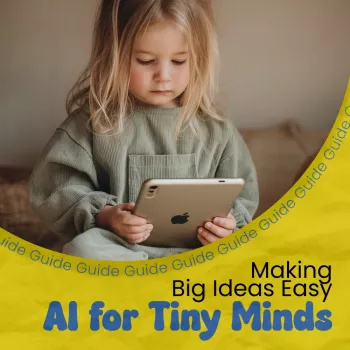
If you want a ready-to-use resource that explains the vocabulary and keeps the tone friendly, AI for Tiny Minds: Making Big Ideas Easy for Kids – Kid-Friendly Guide to Explain AI Concepts in Simple Language is designed for younger learners. It supports short lessons, discussion time, or independent reading, and it pairs naturally with hands-on activities like sorting games and “AI or Not?” challenges.
Say it like this: AI is a computer that learns from examples to make a best guess. Then connect it to something familiar, like photo sorting, voice assistants, or video recommendations.
Early elementary kids can learn the basics like patterns, guessing, and practice. Older kids can add deeper topics such as data quality, bias, and privacy choices.
Yes. AI predicts what seems likely from patterns it has seen, so it can guess incorrectly—especially when the examples were limited, confusing, or not very diverse.



Leave a comment